After the
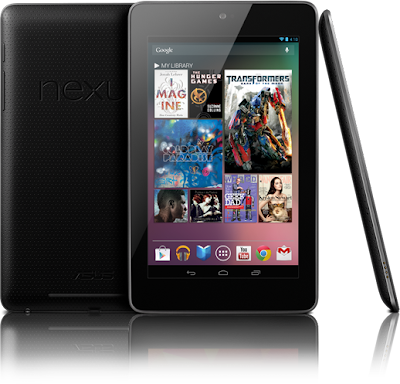
Google nexus 7 officially released by google on google I/O 2012, this tablet become the first tablet that first used android
jelly bean which it is directly installed on it. and for you that search the tutorial
how to root galaxy nexus you were in the right place. because at this time i want to share the tutorial with the most complete instruction. Please notice that once you root your nexus, this device will lose the warranty. The only way to get back the warranty is revoke the root acces and by re applying the original firmware.
This
tutorial below will give you how to unlock and root
Google Nexus 7 Tablet.
If you do not know what rooting is, Rooting is process which will gives you super user acces over your phone. You can install custom ROM’s like Cyanogenmod,MIUI etc. and do some cool customization more.
READ FIRSTPlease follow all the below instructions that i mentioned carefully to make sure that the Nexus 7 is rooted successfully. Please check your battery. Minimum battery life should be 60% plus to make sure that your phone doesn’t get turned Off in the middle of process.
READ SECONDdo with your own risk. we are not responsible for any thing that happens to your phone in the process.
Pre Requirements:First Back up all your phone data. For backing up SMS,call logs,Gmail,Google calender you can use:
SMS Backup +Enable USB debugging on your nexus 7 by going to ” Settings > Applications > Development > USB debugging” where the USB Debugging option should be checked.
You need to have Android SDK installed on your PC.
DownloadDownload Clock Work Recovery(CWM).
Download rooting package.
Place the CWM as well as rooting packages(super user) as it is in the “platform-tools” folder in “C:/Android” folder. Once placed, then open the command prompt in your computer by pressing the “Win + R”, enter “cmd” then push enter to start the command prompt.
To make this easier, you should put the su zip on the sdcard for later.
-In terminal, cd to the directory you have your sdk in. Then cd into platform-tools.
How To Install Clockworkmod Recovery on nexus 7 tablet
- Connect your Nexus 7 tablet to your PC and enter bootloader mode.
then type
adb push path-to-zip/JB-SuperSU.zip /sdcard - enter the below mentioned commands as it is one by one after the command processes the device,
cd platform-tools
adb reboot bootloader - wait for a second
- Now type the following command:”fastboot oem unlock“. then select unlock to unlock nexus 7 tablet
- you now need to enter the Nexus 7 in the recovery mode so that the clockworkmod recovery mode can be flashed in the device.

How to Root Google Nexus 7 Tablet
- First, Place the rooting package(JB-SuperSU.zip) that you downloaded above in the root of your SD card.
- Now turn off your device and then boot to recovery by pressing Volume Up+Volume Down +Power buttons.
- then navigate to “install zip from sdcard > choose zip from sdcard > JB-SuperSU.zip“.
- After the flashing is complete select “reboot system now“.
- Congratulations.. You now have successfully root Google Nexus 7 tablet